


The Wordfence Security plugin aggressively checks for potential threats to a website. This issue is caused by the default XSS Cross Site Scripting setting in Wordfence. With this setting enabled, Wordfence sees the way Breakdance (and other WordPress themes) uses cross-site scripting as a potential security risk. This setting catches any potentially insecure requests and blocks them, which triggers the 403 error messages. The problem is these requests are not a threat.
Disabling this setting in Wordfence stops the 403 error messages from appearing. But don’t worry… WordPress defends against cross-site scripting (XSS) attacks through a combination of input sanitization, output escaping, and security features like nonces and Content Security Policy (CSP). WordPress’s cross-site scripting (XSS) security measures are strong, and more than enough in most cases without enabling the extra blocking this Wordfence setting does.
1 | Login to the WordPress admin.
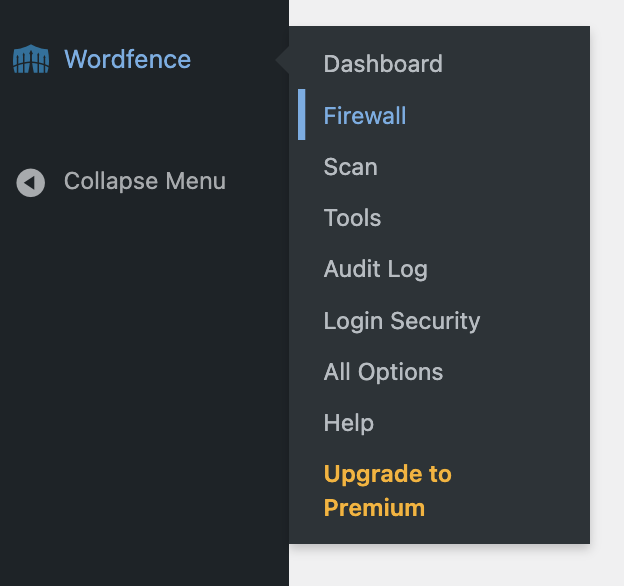
2 | Go to Wordfence > Firewall
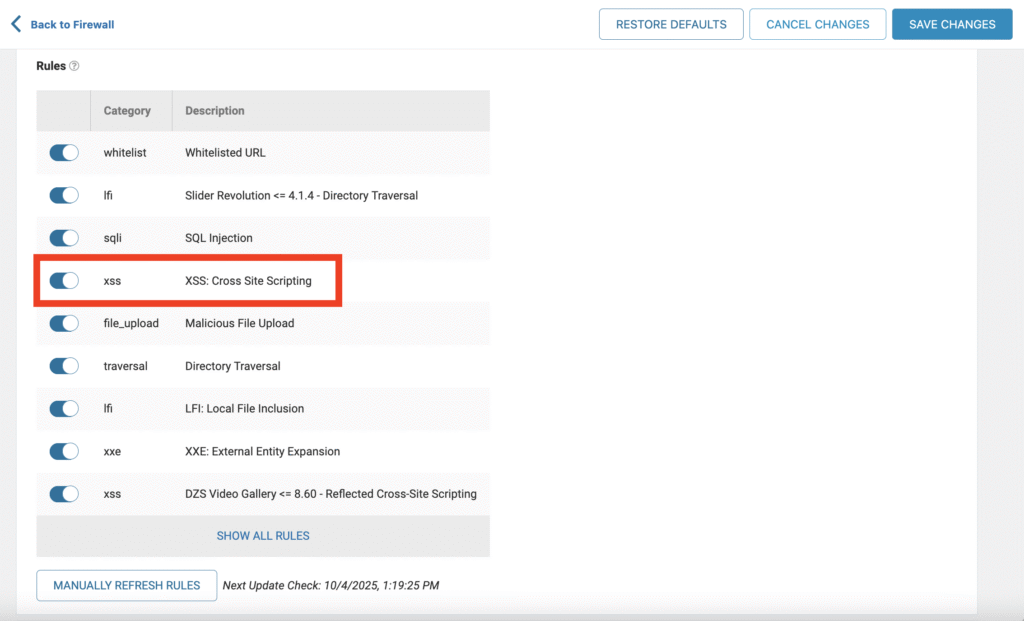
3 | Scroll down to Rules and locate the XSS Cross Site Scripting setting.
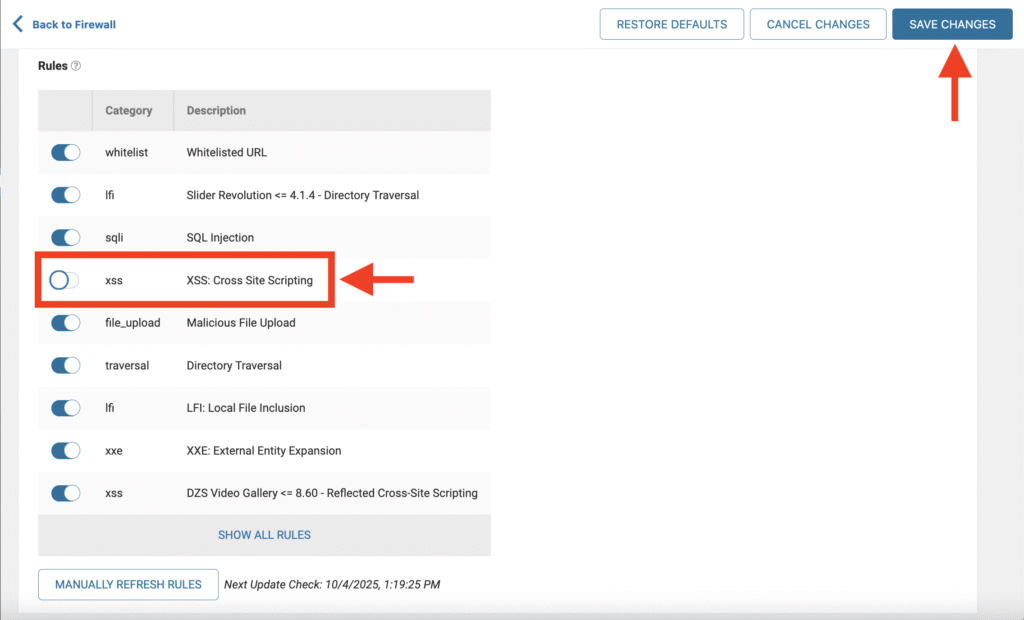
4 | Click to de-activate the XSS Cross Site Scripting setting.
5 | Click the Save Changes button (top-right).
This fix stops error messages from appearing without compromising the added security features and benefits the Wordfence plugin provides.
Cheers!
© Copyright 2026 The Web Guy. All rights reserved.